Turn Review Requests Into Real Email Conversations
Learn how to turn review request emails into genuine two-way conversations that build customer loyalty and strengthen your local business relationships.
TL;DR: A review request doesn't have to be a dead-end ask — it can open a real dialogue with your customer. By personalizing your message, inviting honest feedback, and following up with a human reply, you transform a transactional email into a relationship. The trick is making customers feel heard, not just harvested for a star rating.
Why Review Emails Feel Transactional (And How to Fix That)
Most review request emails feel like form letters — because they are. You send the same "How was your experience?" message to every customer, they ignore it, and you wonder why response rates are so low. The fix isn't a catchier subject line. It's treating the email like the opening line of a conversation rather than a one-way ask.
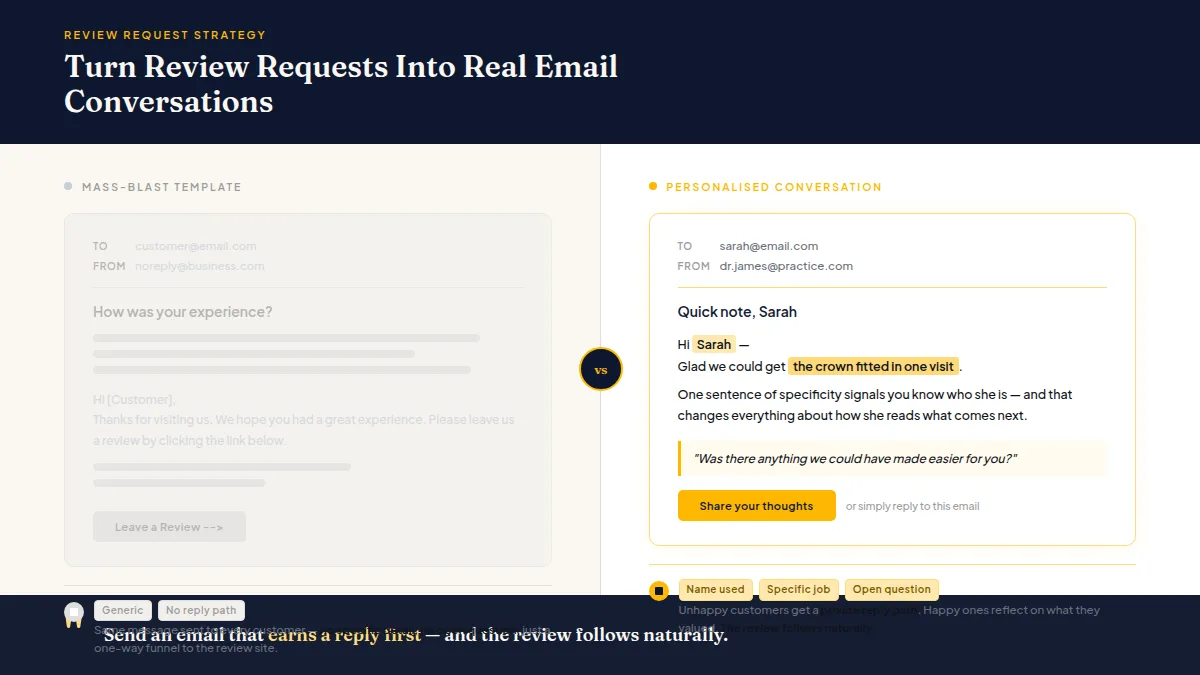
When you personalise even one or two details — the service they had, the staff member who helped them, something specific about their visit — the email stops reading like a mass blast and starts reading like a note from someone who actually remembers them. That shift changes everything about how customers respond.
How to Turn Review Requests Into Customer Conversations That Last
The core idea is simple: ask in a way that invites a reply, not just a click. Standard review request emails funnel customers straight to a review site and cut off any further exchange. A conversation-first email does the opposite — it opens a door.
Send an email that earns a reply first, and the review follows naturally.
Here's what that looks like in practice:
- Reference the specific job. "Hi Sarah — glad we could get the crown fitted in one visit" beats "Hi Sarah — thanks for visiting us." One sentence of specificity signals you know who she is.
- Ask an open question before the review link. Something like "Was there anything we could have made easier for you?" gives unhappy customers a private path to tell you — and gives happy ones a moment to reflect on what they actually valued.
- Keep the CTA secondary. Put the question first, the review link second. Customers who answer your question feel heard; customers who feel heard are far more likely to leave a detailed, generous review.
This approach also doubles as a customer feedback follow-up strategy — you're not just collecting stars, you're learning what's working and catching problems before they go public. (One important note: every customer should still be free to leave a public review on any platform, regardless of how they answer your question. Giving someone a private feedback channel is about resolving issues faster, not filtering who gets to post publicly.)
Do this faster
Turn customer visits into review requests that actually get answered — automatically on Pro.
Personalized Review Request Tips That Don't Eat Your Day
Personalisation sounds time-consuming until you build a simple system around it. You don't need to write a bespoke email for every customer — you need a template with two or three natural fill-in points that your team can complete in under a minute.
A basic structure that works for most local businesses:
Subject: Quick question about your [service] on [day]
Body: Hi [First name], it was great [brief specific detail — e.g., "helping you find the right cut" or "getting the leak sorted before the weekend"]. Before anything else — how did it all feel from your end? Anything we should know?
If everything was smooth, we'd love it if you shared a few words on Google: [link]. Takes about two minutes and genuinely helps us.
Thanks, [Your name]
The subject line alone — referencing the service and day — lifts open rates because it doesn't look like a marketing email. It looks like a personal follow-up. According to a Campaign Monitor (2024) analysis, personalised subject lines can increase open rates by around 26% compared to generic ones. That's a meaningful gap for a two-second edit.
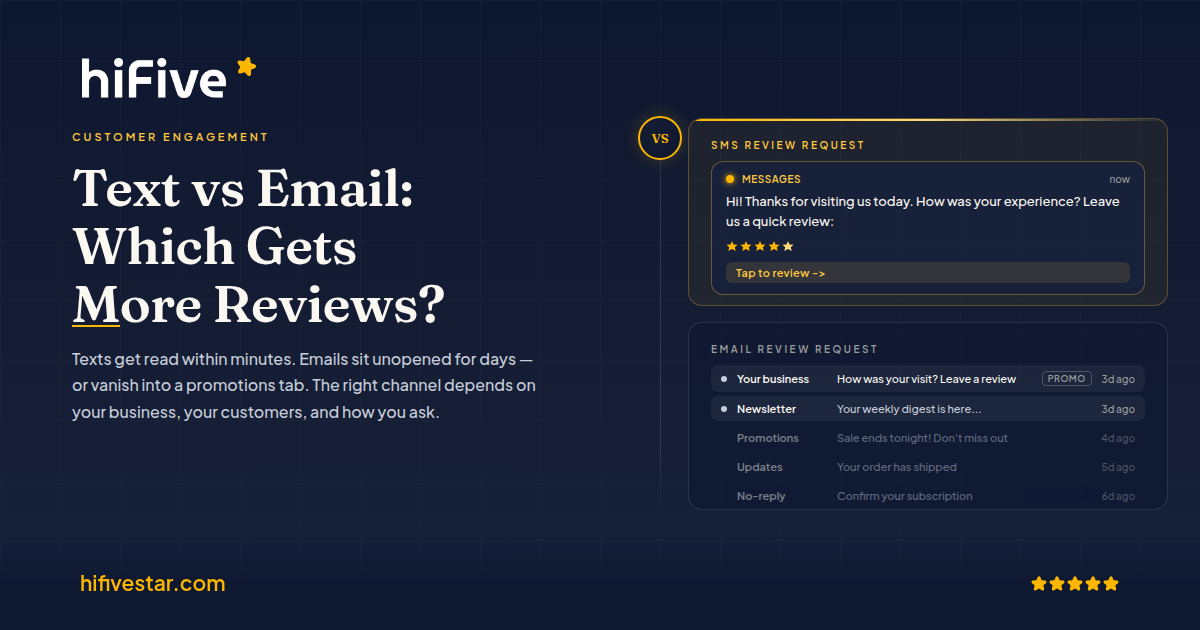
If you're wondering whether SMS or email works better for your particular customer base, the comparison of review requests by text vs email lays out the practical trade-offs well.
Building Customer Relationships Through Email After the Review
The conversation shouldn't stop when someone posts a review. A reply to their review is expected; a follow-up email that references what they said is not — and that's exactly why it lands so well.
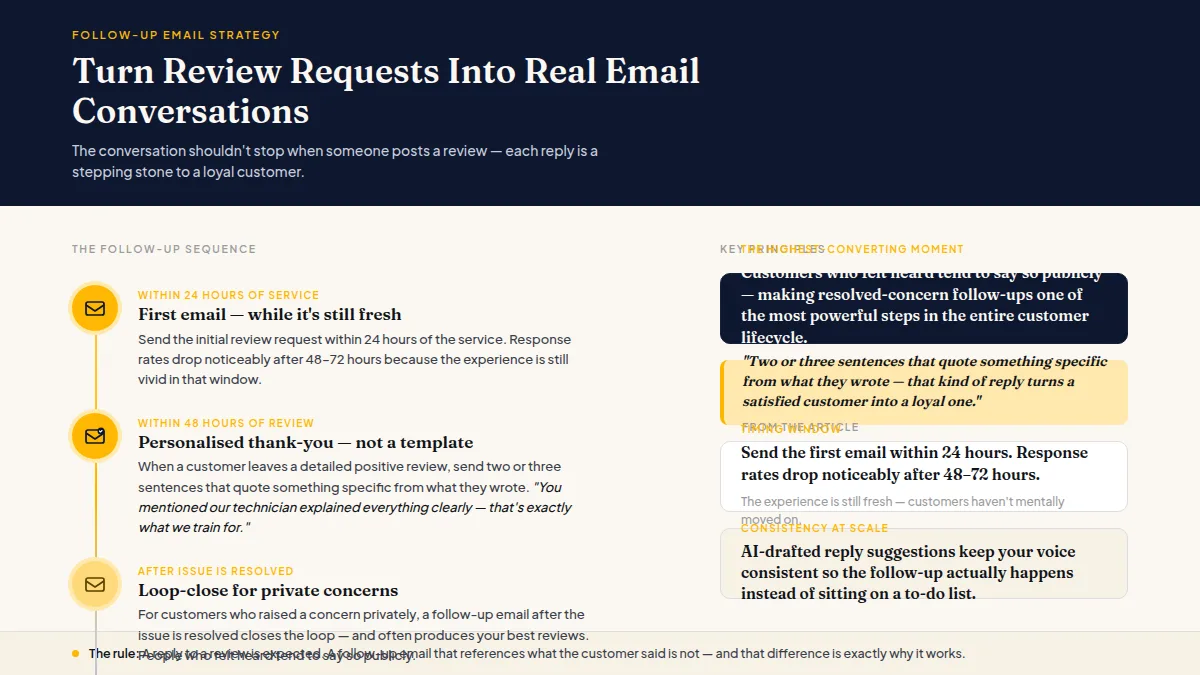
When a customer leaves a detailed positive review, send a short thank-you email within 48 hours. Not a template. Two or three sentences that quote something specific from what they wrote: "You mentioned our technician explained everything clearly — that's exactly what we train for, so it means a lot to hear it." That kind of reply turns a satisfied customer into a loyal one.
For customers who contacted you privately with a concern, a follow-up email after the issue is resolved closes the loop and often produces your best reviews — people who felt heard tend to say so publicly. Review request email best practices almost never mention this step, but in practice it's one of the highest-converting moments in the entire customer lifecycle.
This is also where tools like HiFiveStar help quietly in the background — the AI-drafted reply suggestions give you a starting point without requiring you to write from scratch every time, so the follow-up actually happens instead of sitting on a to-do list.
Timing Your Emails for Local Businesses
Send the first email within 24 hours of the service. Many businesses find that response rates tend to drop noticeably after 48-72 hours, likely because the experience is still fresh in that window and customers haven't mentally moved on. There's no universal rule here, but earlier is almost always better than later.
For the follow-up — whether that's a reply to their feedback or a second gentle nudge — 3-5 days after the first email is a reasonable range. More than one nudge rarely adds value; it usually just irritates people.
Email review requests for local businesses work best when they match the pace of a real relationship: prompt, specific, and not pushy. The goal is a customer who wants to hear from you again, not one who's learned to filter your address.
And if the review they leave is exceptional, consider what you can do with it beyond your website widget — turning strong Google reviews into longer-form content is one underused way to stretch the value of a single piece of customer feedback.
Frequently Asked Questions
How long should a review request email be?
Short — ideally under 100 words in the body. Customers scan on mobile. One specific reference to their visit, one open question, one review link, and a sign-off is all you need.
When is the best time to send a review request email?
Send it within 24 hours of the service while the experience is still fresh. In practice, many businesses find mid-morning on weekdays (around 9-11am) tends to get decent open rates, but the timing matters less than sending promptly.
What should I do if a customer replies to the review request with a complaint?
Treat it as a gift. Respond the same day, acknowledge what went wrong, and offer a specific fix. Customers who feel genuinely heard after a bad experience often become strong advocates — and are still free to leave a public review if they choose.
Is it against Google's rules to give unhappy customers a private feedback option?
You can absolutely offer a private channel to resolve issues first. What Google and other platforms prohibit is selectively blocking or discouraging unhappy customers from leaving public reviews — every customer must remain free to post publicly regardless of how they replied to you privately.
Should I use my personal email or a business email for review requests?
Either works, but emails that come from a named person (e.g., maria@yourshop.com) tend to feel more personal than a generic info@ address. If you use a shared inbox, make sure the sender name shows a real person's name rather than just the business name.
How do I write a review request email that doesn't sound desperate?
Lead with a question about their experience rather than a direct ask for a review. Customers don't feel pressured to comply with a question; they feel invited to share. The review link becomes a natural next step rather than the whole point of the email.
Ready to Take Control of Your Online Reputation?
Join thousands of local businesses using HiFiveStar to get more reviews and grow faster.