How to Showcase Your Best Reviews on Your Website to Win More Customers
Learn how to showcase your best reviews on your website to build trust and win more customers with an embeddable review widget from HiFiveStar.
A potential customer lands on your website and immediately starts looking for proof you're worth trusting. Not your about page. Not your service list. They want to know what real people said about you — and if those reviews aren't visible within seconds, many will leave before they find them.
Why Displaying Customer Reviews on Your Website Actually Converts
Putting social proof directly on your own site shortens the gap between "I found this place" and "I'm booking." When visitors can read genuine customer experiences without jumping to Google or Yelp, you hold their attention at exactly the moment they're deciding.
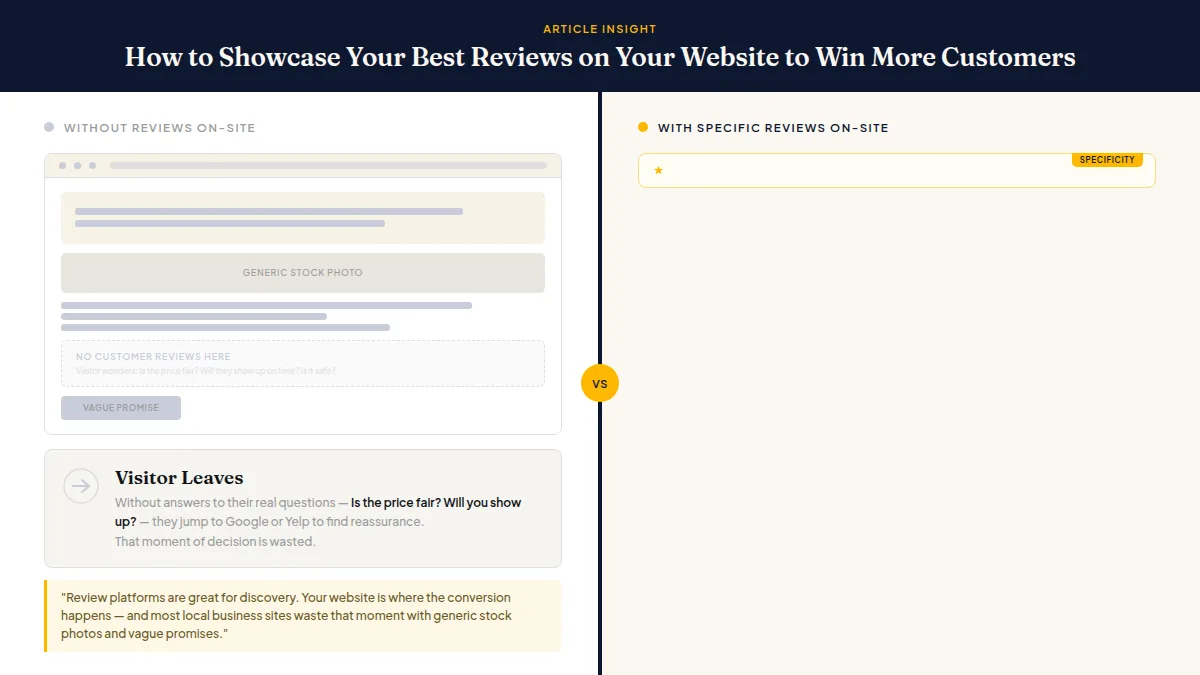
Review platforms are great for discovery. Your website is where the conversion happens — and most local business sites waste that moment with generic stock photos and vague promises.
Visitors who read specific, detailed reviews from people like them — same neighborhood, same concern about pricing, same anxiety about a dental procedure — gain enough confidence to take action. That's not a marketing theory; it's just how buying decisions work when the choice feels consequential.
How to Choose Which Reviews to Feature
Not every five-star review earns a spot on your homepage. The best reviews on your website are the ones that answer the exact objections your prospects carry before they arrive.
Think about the three or four questions you hear most often before a sale: "Is the price fair?" "Will you actually show up on time?" "Is this safe for kids?" Then scan your reviews for answers to those specific questions in a customer's own words. A review that says "The technician arrived within the window, explained everything clearly, and the total was exactly what they quoted" does far more work than "Great service, will use again."
When selecting reviews to display, look for these qualities:
- Specificity — mentions a staff member's name, a particular service, or a concrete outcome
- Relevance — addresses the concern your best-fit customers are most likely to have
- Variety — a mix of services, customer types, and platforms (Google, Facebook, Yelp) to signal broad trust
- Recency — a review from this year carries more weight than one from three years ago
You don't need dozens on your homepage. Three to six well-chosen reviews, rotated occasionally, outperform a wall of generic five-star snippets. If you're still building that review volume, the strategies in how to get more Google reviews will help you fill the pipeline consistently.
Do this faster
HiFiveStar drafts a reply to any review in seconds — so your profile always looks cared for.
Where and How to Display Reviews for Maximum Impact
Knowing how to showcase reviews on your website means thinking about placement, not just content. Put them where a visitor's confidence is lowest — right before a call-to-action button, on service or product pages next to relevant offerings, and on any landing page running paid traffic.
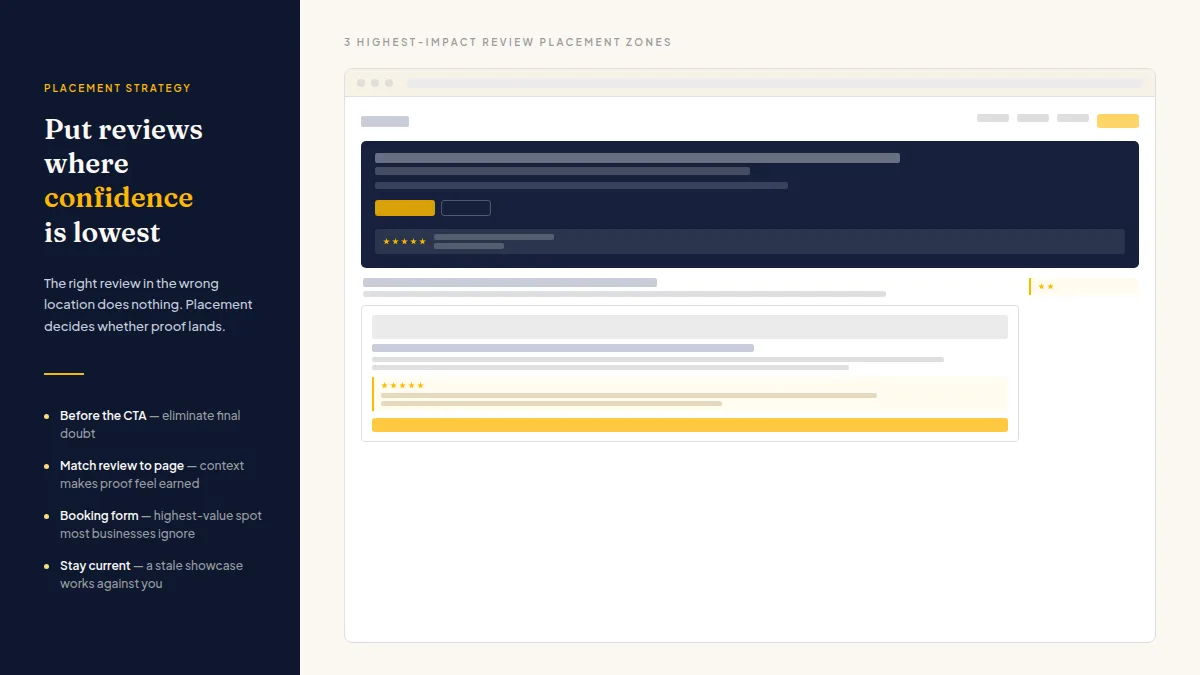
Homepage: A short rotating strip of your strongest two or three reviews near the top builds immediate credibility. Keep it tight; this isn't the place for a long scroll.
Service pages: Match the review to the service. If you run a dental practice, put the review about painless cleanings on your cleanings page, not buried on the homepage. Context makes the proof feel earned rather than staged.
Booking or contact page: One strong review placed right above or beside the form gives a hesitant visitor the final nudge. This is the highest-value placement most businesses ignore entirely.
Testimonials page: Create one — but treat it as a deeper archive, not a replacement for embedding reviews where decisions actually happen.
For the technical side, an embeddable review widget is the cleanest approach for most local businesses. Tools like HiFiveStar pull in reviews from Google, Yelp, TripAdvisor, and others and display them on your site automatically, so the showcase stays current without manual copy-pasting. The widget handles the formatting; you handle the placement strategy.
Keeping Your Website Review Showcase Fresh and Compliant
A review showcase that hasn't been updated in eighteen months sends a quiet negative signal. Visitors notice dates. The fix is making review collection a routine part of your business — ask after every completed job or appointment, not just when you remember.
One practical approach: after a service, send every customer the same brief SMS or email with a direct link to your preferred review platform, and a private way to reach you beside it. Nobody is sorted by how the visit went, which keeps you inside each platform's guidelines. The private option simply offers a faster path to resolution for people who'd rather talk than post. Once new reviews come in through a system like this, a connected widget pulls them onto your site automatically.
For more on automating the request side of this, best tools for automating Google review requests in 2026 covers the current options thoroughly.
One more thing: respond to your reviews publicly, even the short ones. Review engagement is widely considered a local-ranking signal by practitioners who study local search, and a replied-to review on your site looks more credible than one sitting there unanswered. It signals that a real person is running this business.
Turning Your Best Reviews Into Review Quotes
Not every review belongs on your homepage in full. The most effective approach is to pull the strongest sentences — the review quotes — and feature those where they will have the most impact.
A review quote is a one-to-three-sentence excerpt from a longer review: the specific moment, the concrete result, the detail that makes a stranger think "that's exactly what I need." Pulling review quotes from your full reviews and placing them strategically across your site turns scattered praise into focused selling points.
When choosing review quotes from your reviews:
- Pick the sentence with the outcome — "Fixed the leak in thirty minutes" beats "Great plumber."
- Match the quote to the page — put the teeth-whitening review quote on the whitening page, not on the homepage.
- Rotate every few months — a fresh review quote signals a thriving business. A dated one signals the opposite.
For a deeper guide on selecting, formatting, and using review quotes across your website and marketing, read review quotes: how to pick, display, and use them to win customers.
Frequently Asked Questions
Can I copy Google reviews directly onto my website?
Technically you can quote short snippets with attribution, but copy-pasting full reviews without permission may violate Google's terms of service. The safer and more practical approach is using an embeddable widget that pulls reviews in through an approved integration, which also keeps them current automatically.
How many reviews should I display on my homepage?
Three to six carefully chosen reviews is the right range for a homepage. More than that creates visual noise and dilutes the impact of each individual review. Save the full collection for a dedicated testimonials page.
Do website reviews help with local SEO?
Reviews on your own site don't carry the same direct ranking weight as reviews on Google or Yelp, but they contribute to time-on-site, trust signals, and conversion rate — which indirectly affect how your business performs in local search over time.
What's the difference between a review widget and a testimonials page?
A testimonials page is a static page you manually update. A review widget connects to live review platforms and updates automatically when new reviews come in, which means less maintenance and more current content for visitors.
Should I feature negative reviews on my website?
You're not obligated to display negative reviews on your own site, but completely hiding them can look suspicious to savvy visitors. Showing that you respond to criticism professionally can actually build more trust than a perfect-looking row of five stars.
How often should I refresh the reviews I feature on my site?
Refreshing your featured reviews every one to three months keeps the showcase feeling current. If you're using an automated widget connected to your review platforms, new reviews can surface automatically — removing the need to remember.
Your reviews are already out there earning trust on Google and Yelp. Getting them onto your own website — in the right spots, with the right context — means that trust starts working at the exact moment a potential customer is ready to decide. Pick one placement from this guide, add it this week, and measure what changes. That's the whole job.



Ready to Take Control of Your Online Reputation?
Join thousands of local businesses using HiFiveStar to get more reviews and grow faster.