How to Reply to Reviews in Your Own Voice When Time Is Short
Learn how to reply to reviews in your own voice without spending hours writing. AI-drafted responses keep your tone authentic and every review answered.
Why Replying to Reviews Matters Even When You're Slammed
Most local business owners know they should respond to reviews. Few do it consistently, because a real reply takes time they don't have at 6 p.m. on a Tuesday. But skipping replies has measurable consequences: according to BrightLocal (2024), 88% of consumers would use a business that responds to all reviews, compared to 47% who would use a business that doesn't respond to any. That 41-point gap is too wide to ignore.
The good news: responding quickly doesn't require crafting prose from scratch every time. It requires a system — one that sounds like you, works fast, and doesn't embarrass you with something generic.
Build a Voice Bank Before You Need It
The fastest way to write authentic review responses is to do a little prep work once so you can move quickly every time. Spend 20 minutes writing down five phrases you actually say to customers in person. Maybe you say "glad we could take care of you" instead of "we appreciate your feedback." Maybe you use first names. Maybe you always mention your team when someone compliments them.
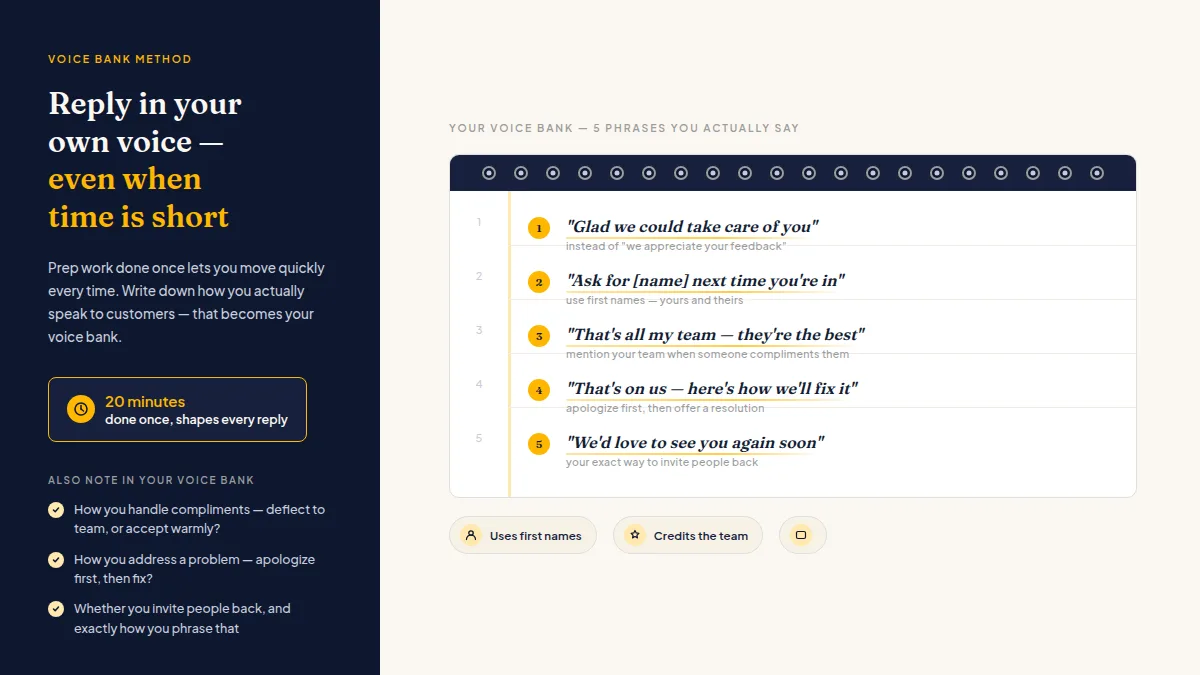
Write those phrases down. They become your voice bank — the raw material that makes every reply sound like it came from you, not a template generator.
Also note:
- How you handle compliments (deflect to the team, or accept warmly?)
- How you address a problem (apologize first, then fix? explain, then offer a resolution?)
- Whether you invite people back, and exactly how you phrase that
This exercise takes one sitting. Done once, it shapes every reply you write going forward — whether you're writing them yourself or using a tool to draft them first.
Do this faster
HiFiveStar drafts a reply to any review in seconds — so your profile always looks cared for.
How to Reply to Reviews in Your Own Voice Using AI Drafting
AI review reply drafting is not about publishing whatever the software generates. It's about getting a solid first draft in seconds that already sounds close to your voice — so you edit instead of write from scratch.
The difference between AI-drafted and AI-published is the difference between a shortcut and a liability.
Good AI drafting tools ingest your past replies, the tone you've set, and the content of the specific review — then produce a response that reflects all three. You scan it, adjust one or two lines, and hit send. What used to take eight minutes takes ninety seconds.
The key is feeding the tool your voice first. If you haven't written any replies yet, give it a few example sentences during setup. Most tools that handle AI review reply drafting let you specify your tone — direct, warm, formal, casual. Set it once and drafts arrive already tuned.
HiFiveStar's AI drafting works a little differently: it writes each draft as you, the owner, in the reviewer's own language, and you edit it into your voice before you post it. You stay in control; the AI removes the blank-page problem.
Review Response Templates for Local Business: Scaffolding, Not Scripts
Templates get a bad reputation because people paste them verbatim. Used correctly — as scaffolding rather than finished replies — review response templates for local business are genuinely useful.
A good template gives you the structure: open with acknowledgment, address the specific detail the customer mentioned, close with an invitation or thanks. You fill in the specific detail in ten seconds. The result reads personal because it is personal — only the skeleton was pre-written.
Three templates worth having ready:
Five-star, detailed: "Thank you, [Name] — [specific thing they mentioned] is something we really focus on, so it's great to hear that landed. Hope to see you back soon."
Five-star, brief: "Thanks for the kind words, [Name]! We'll pass that along to the team."
Critical feedback: "Thank you for taking the time to tell us, [Name]. That's not the experience we want for you. Please reach out to us directly at [contact] so we can make it right."
One important note on that last one: the goal is to give every customer a fast, direct path to resolution — not to steer them away from posting publicly. Google and Yelp prohibit selectively preventing customers from leaving public reviews, and every customer still has that right. A prompt, genuine reply simply shows you're listening.
If you're building out your broader approach to managing your business's online reputation, locking down response templates is one of the first things worth doing.
How to Answer Reviews When Busy: The 5-Minute Daily Habit
Managing reviews without a marketing team means the work falls on you, the manager, or whoever closes up. It rarely happens unless it's scheduled.
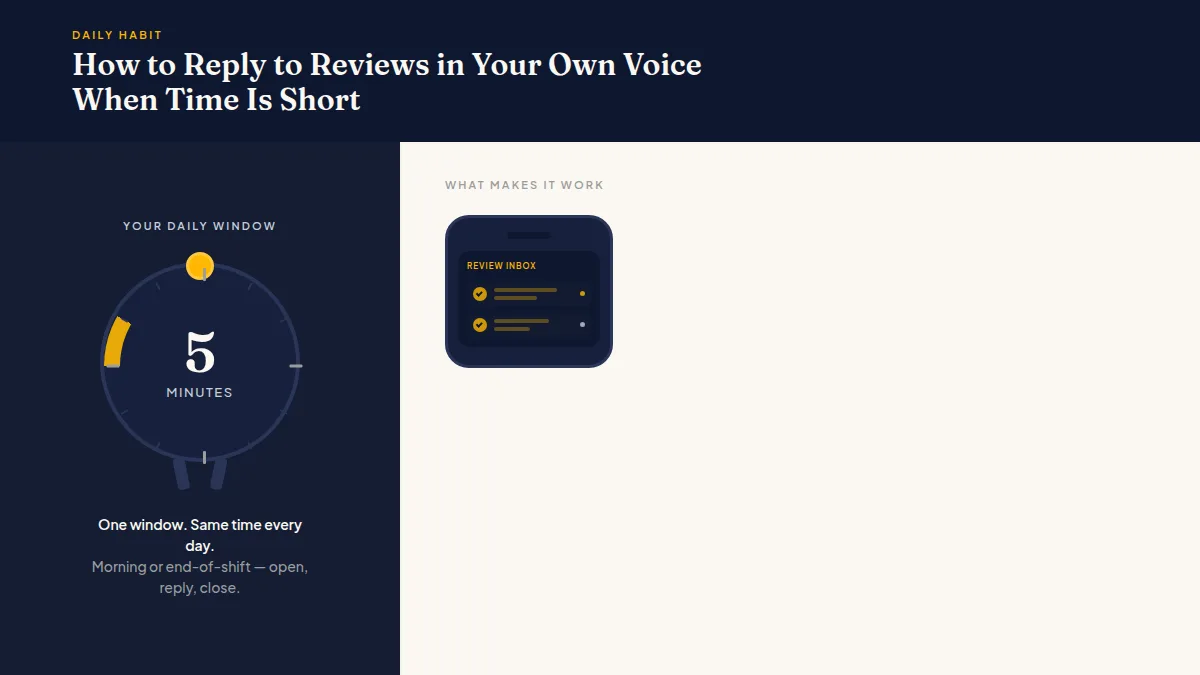
The fix is a five-minute daily review window — same time every day, usually morning or end-of-shift. You open your review inbox once, reply to everything that came in that day, and close it. Not a rolling task you check every hour. One window.
A few things that make this work:
- One inbox. Logging into Google, then Yelp, then Facebook separately guarantees you'll skip it. Use a tool that surfaces all platforms in one place.
- Mobile-first. Most owners aren't at a desk. Make sure whatever you're using works on your phone.
- Draft first, publish second. Even 30 seconds of review before posting protects you from sending something you'd regret when you're stressed.
Replies written within 24–48 hours feel more timely and relevant — both to the reviewer and to future readers — but consistency matters more than speed. Knowing how to reply to reviews in your own voice is a skill that compounds: the more you reply, the clearer your voice becomes, and the faster the next one gets written.
For businesses from restaurants to home services, reputation monitoring tools can make that daily habit much easier to sustain at scale.
Frequently Asked Questions
How long should a review reply be?
Two to four sentences is usually enough. Match the length of the review — a one-liner deserves a one-liner back, while a detailed compliment earns a more specific response.
Is it okay to use the same template for multiple reviews?
Using the same structure is fine; using identical wording repeatedly is not. Future customers reading your replies will notice if every response looks copy-pasted, and it signals that nobody's actually paying attention.
Can I let an employee handle review replies?
Yes, as long as they've been briefed on your voice, your boundaries around complaints, and they know to flag any real service failure before replying.
Do I need to respond to every review, including old ones?
Focus on recent reviews first — those are what prospective customers read. Once you're caught up, replying to everything going forward is a realistic goal. Revisiting years-old reviews is low priority unless a negative one is ranking prominently.
What should I never say in a review reply?
Don't argue with the facts a customer states, don't offer refunds publicly, and don't mention other customers or confidential details. Keep complaint replies brief and move the conversation offline quickly.
Does responding to reviews help with local search rankings?
Review engagement is widely considered a local-ranking signal by SEO practitioners, and Google's own documentation encourages businesses to respond to reviews. No specific weighting is publicly confirmed, but consistent, genuine replies are a sound practice regardless of any ranking effect.
Ready to Take Control of Your Online Reputation?
Join thousands of local businesses using HiFiveStar to get more reviews and grow faster.