Best Software to Get Google Reviews for Business
Comparing the best software to get Google reviews for your business — what each tool does, what to look for, and how to choose the right one.
TL;DR: The best software to get Google reviews sends review requests to every customer right after the visit, makes it easy to reply fast, and pulls all your reviews into one place. Look for automated requests by text or email, AI reply drafts, and a review link that works on any device. HiFiveStar covers all of this — businesses that sent 20+ requests in their first 90 days went from 11 new Google reviews to 23, on average.
What Makes Good Software to Get Google Reviews for Business
The right software to get Google reviews for business does one thing: it removes the friction between a completed job and a posted review. Most customers who had a great experience won't bother writing one unprompted — not because they don't want to, but because finding the right page, signing in, and typing something coherent is more effort than most people will spend without a nudge.
Good review software closes that gap. It sends a request at the right moment, makes leaving a review a single tap, and collects everything that comes back in one place. For a local business — a salon, a dental practice, a plumbing company, a restaurant — the difference between 12 Google reviews and 120 changes how often you show up when someone nearby searches for what you do.
According to BrightLocal's Local Consumer Review Survey (2024), 87% of consumers read online reviews for local businesses, and star rating is the number-one factor they use to judge a business. Every week without a steady review cadence is a week your competitors with fresher reviews look more credible than you.
How to Ask Customers for Google Reviews Without Awkwardness
Ask every customer, right after the job or visit — not just the ones you think liked it. Timing matters more than script. A message sent the same day, while the experience is fresh, outperforms one sent three days later, and most businesses see response rates drop meaningfully after 48 hours.
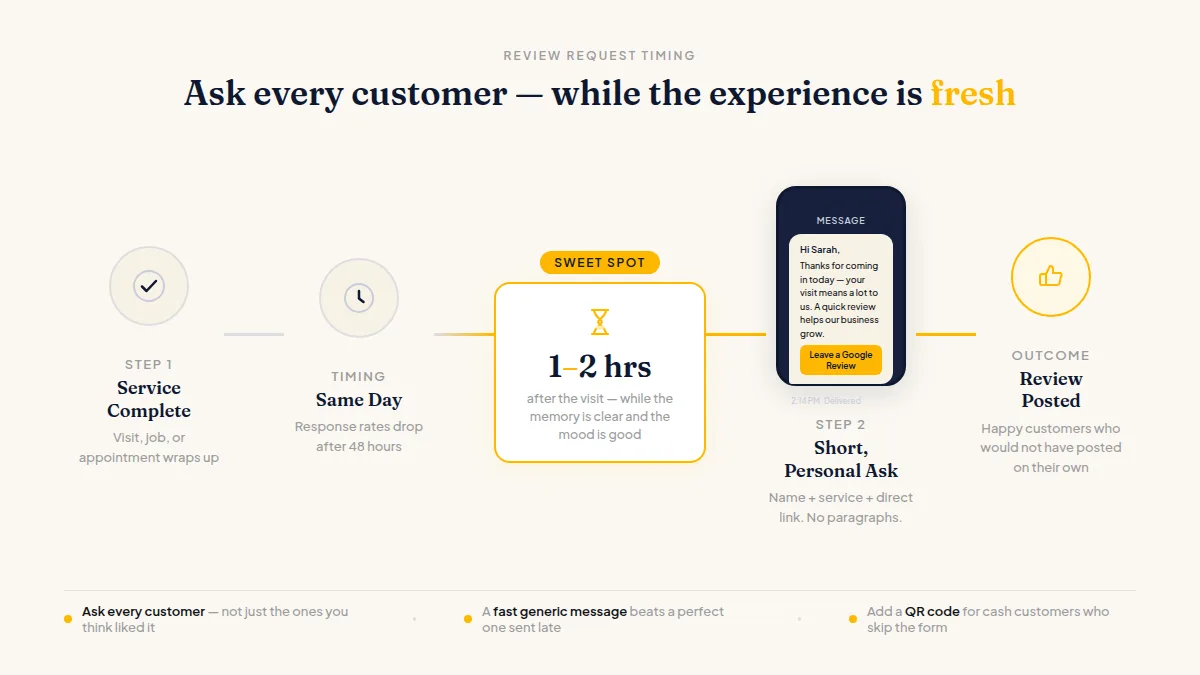
Keep the message short: thank them for the visit, say reviews help your business, and give them a direct link to your Google review page. No paragraphs. No bullet points in a text. No pressure. Personalising with the customer's first name and a reference to the specific service still helps — but a generic message sent fast beats a perfect message sent late.
A physical QR code at checkout, on a receipt, or on a table card catches customers who paid cash or didn't give you an email. The best Google review request tool setups combine a digital request (text or email) with a visible QR code so neither channel carries all the weight alone.
One compliance note: Google and Yelp both prohibit asking only happy customers for reviews or steering unhappy ones away from public platforms. Ask everyone, every time.
Do this faster
HiFiveStar asks every customer after their visit — so more of the happy ones actually leave a review.
What Separates the Best Review Software for Small Business
Most tools that claim to help you get more Google reviews share the same core: a way to send requests, a link that opens your Google review form, and a dashboard. Where they diverge is in cost, complexity, and what else they handle.
Here's what actually separates a strong tool from a mediocre one for a local business:
- A direct link to your Google review form, not a landing page that makes customers click twice
- Text, email, and WhatsApp requests — different customers respond to different channels
- Automated requests triggered by a payment or order, so no customer slips through when you're busy
- A single inbox for every review platform, not just Google — Facebook, Yelp, Tripadvisor, and others in one place
- AI-drafted replies, so you can respond in minutes without writing from scratch every time
- A simple QR code for walk-in or cash-paying customers
The trap many owners fall into is buying a tool that only handles Google, then realising they also need to respond to Yelp reviews, monitor Indeed, or track Tripadvisor. Review management software for local business that covers multiple platforms from a single screen saves a lot of tab-switching later.
Automate Google Review Requests Without Losing the Personal Touch
Automating Google review requests means a request goes out every time a customer pays or books — without you remembering to do it. For a dentist seeing 30 patients a day, or a home-services company running six crews, manual follow-up simply doesn't happen consistently. Automation solves the consistency problem.
Most higher-tier tools connect to Stripe, Shopify, or your booking system via Zapier, Make, or a similar connector, then fire a request automatically when the transaction closes. Adding follow-up reminders at three and seven days for people who didn't open the first message takes your request volume from sporadic to reliable.
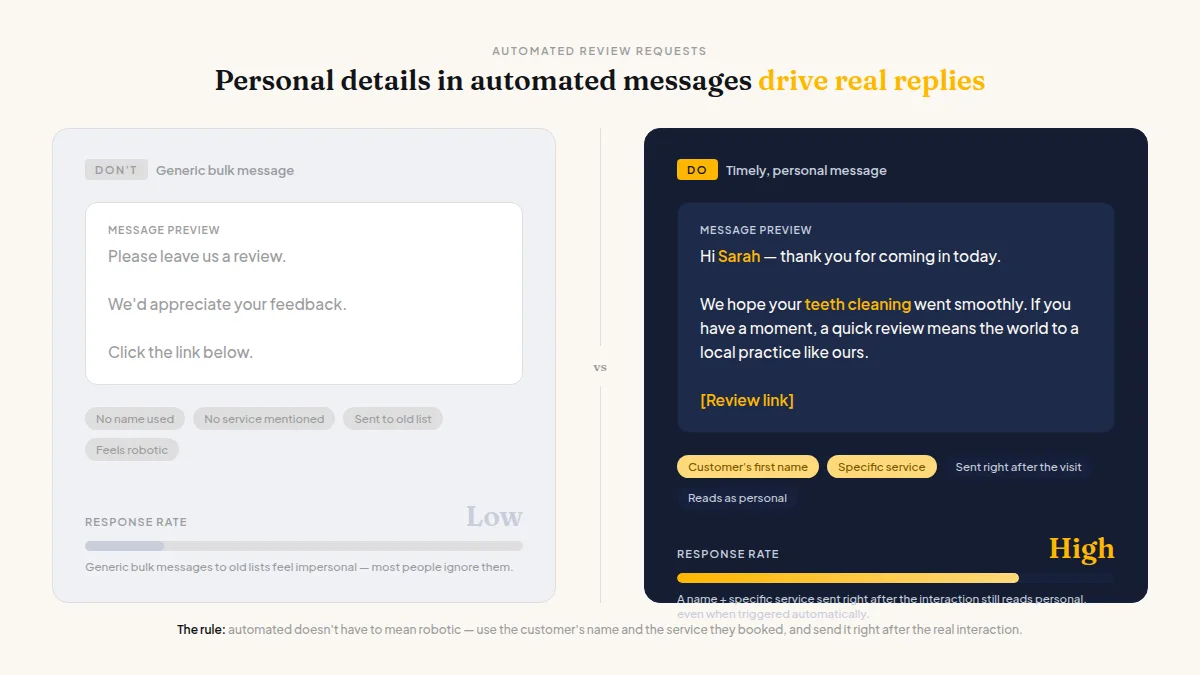
Automated doesn't have to mean robotic. A request that includes the customer's name and mentions the specific service they booked still reads as personal, even when it's triggered by a system. What kills the personal feel is sending generic bulk messages to an old customer list rather than a timely message right after a real interaction.
HiFiveStar handles this full cycle — automated requests triggered by a payment, follow-up reminders, AI reply drafts, and a unified Reviews inbox pulling from nine sites including Google, Facebook, Yelp, and Tripadvisor. Businesses that sent 20 or more review requests in their first 90 days averaged 23 new Google reviews, up from 11 before — that's not a guarantee for every business, but it shows what consistent requesting does over time. There's a free-forever plan to explore the inbox and review page; paid plans add the request tools.
Comparing Your Options: What to Look for Before You Buy
The market for review software ranges from single-purpose Google request tools to full reputation-management platforms priced for enterprise. For most local businesses, the right choice sits in the middle.
Before paying for anything, check four things:
Does it send requests by text? Email open rates are solid, but text open rates are far higher — according to SimpleTexting (2023), SMS messages reach a 98% open rate versus around 20% for email. A tool that only does email leaves responses on the table.
Does it read reviews from more than just Google? A platform that only fetches Google reviews means checking three other tabs manually. You want one inbox.
What happens when you get a negative review? The tool should make it easy to respond fast — ideally with a draft already written. A Private Feedback option on your review page (alongside the review links, not in front of them) gives customers who want to reach you directly a way to do so, while still being able to leave a public review.
Is pricing per location? Restaurants and service companies with multiple sites need to know whether they're paying once or multiplying the monthly cost by every address.
If you're comparing specific platforms, the best reputation management software roundups cover the full feature-and-pricing picture for the major tools.
Frequently Asked Questions
Does review software actually help you get more Google reviews?
Yes, consistently. The main reason most businesses have thin review counts is that they never ask. Software that sends a request to every customer right after a visit removes the gap between "had a great experience" and "left a review." More requests reliably produce more reviews.
Is it against Google's rules to use software to request reviews?
No. Google encourages businesses to ask customers for reviews, and using software to send those requests is fine. What Google prohibits is offering rewards for reviews, asking only happy customers, or discouraging unhappy ones from posting publicly.
Can I automate review requests without a paid plan?
Not with most tools. HiFiveStar's free-forever plan includes the review inbox and QR code but does not send review requests — automated or manual. Sending requests requires a paid plan; triggering them automatically from a payment system requires a higher paid tier.
Should I ask for reviews on Yelp?
No. Yelp's own support documentation asks businesses not to solicit reviews at all. Any tool that sends customers a direct Yelp review link risks your listing being flagged. Yelp reviews still appear in your inbox for reading and responding — just don't ask for them.
What's the difference between a review request tool and reputation management software?
A review request tool does one thing: send review asks. Reputation management software also reads incoming reviews across multiple platforms, helps you respond, shows analytics, and sometimes flags trending themes in customer feedback. Most local businesses with more than a handful of reviews per month are better served by the broader category.
How many review requests should I send per month?
One per customer, matched to your actual visit volume. There's no advantage to batching or spacing them out. Consistent, immediate asking after each visit produces far steadier review growth than monthly blasts to accumulated contacts.



Ready to Take Control of Your Online Reputation?
Join thousands of local businesses using HiFiveStar to get more reviews and grow faster.