Why Review Management Services Fail: 7 Critical Mistakes
Review management services only work if you set them up right. Avoid these 7 critical mistakes local businesses make that silently kill their results.
TL;DR: Review management services fail when businesses treat them as a set-and-forget tool rather than an active system. The most common pitfalls include asking the wrong customers at the wrong time, ignoring negative feedback, and never replying to reviews. Fix the setup first, and the results follow.
The Real Reason Review Management Software Stops Working
Most local businesses connect their review management software to Google, wait three months, and see nothing change. The software isn't broken. The setup is. According to BrightLocal's 2024 consumer survey, 75% of people "always" or "regularly" read online reviews before choosing a local business — which means a dormant review management account isn't a minor oversight. It's a missed conversation happening every single day.
Understanding why review management services fail starts with one uncomfortable truth: the tool is only as effective as the decisions made around it. Here are the seven mistakes that kill results before they have a chance to build.
Mistake 1: Skipping the Platform Connection Step
Connecting your software to your actual review profiles — Google, Facebook, Yelp, TripAdvisor — is the single most important step, and the one businesses most often do halfway. Link only one platform and you're managing a fraction of your reputation while ignoring the rest.
Before sending your first review request, audit which platforms matter most to your business type. Restaurants should prioritize Google and TripAdvisor. Dental practices need Google and Healthgrades. Salons should confirm Facebook is active. If you're unsure where to start, understanding what review management services actually do — including how platform integrations work — will keep you from building on an incomplete foundation.
Do this faster
HiFiveStar drafts a reply to any review in seconds — so your profile always looks cared for.
Mistake 2: Using Generic, Template-Sounding Review Requests
Review request best practices come down to one thing: the message has to sound like it came from your business, not a software vendor. Generic "Please leave us a review" texts get ignored. A message that references the specific service just completed — "Hi Maria, glad we could sort out the leaky faucet today — if you have a moment, a quick Google review helps other homeowners find us" — gets read and acted on.
The closer your request feels to a personal note, the more likely a real customer acts on it.
Timing compounds the effect. Sending a request within 15–30 minutes to a few hours of a completed service — while the experience is still fresh — consistently outperforms waiting a day or two. Don't let "we'll get to it later" become never.
Mistake 3: Ignoring the Reply Side of the Inbox
Getting reviews is half the job. Replying to them is the other half — and it's where most businesses go completely quiet. Review engagement is widely recognized as a local-ranking signal, and Google actively encourages responses to all reviews. A Harvard Business Review study (2018) found that hotels that responded to reviews saw measurable increases in both review volume and star ratings over time.
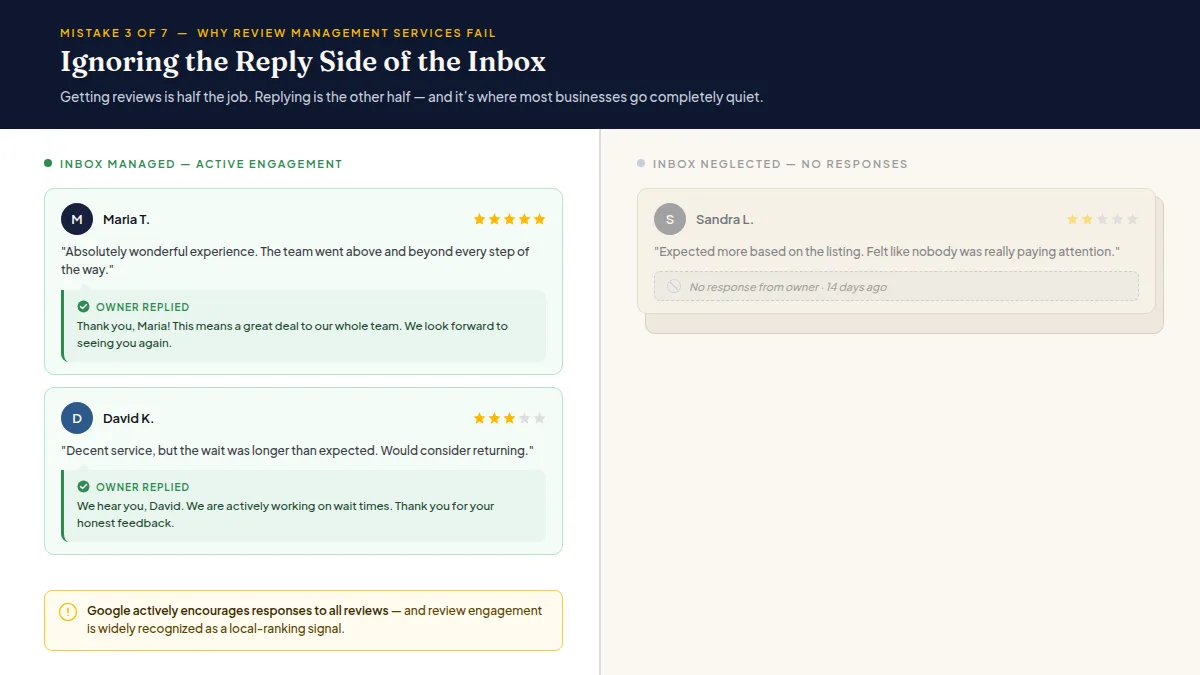
Not replying also sends a visible signal to every future customer reading your profile: nobody's home. A strong online review strategy treats every review — positive or negative — as a public conversation that deserves a real answer. AI-drafted replies earn their place here: tools like HiFiveStar draft responses for you so you're not starting from a blank screen. You review and send; the inbox stays clear.
Mistake 4: Treating Unhappy Customers as a Problem to Hide
A compliant approach to negative feedback isn't about suppressing bad reviews, and it isn't about sorting customers by mood either. Every customer gets the same review link, with a private way to reach you beside it, so someone who had a problem can tell you directly and you can make it right.
Important: this approach does not prevent anyone from leaving a public review. Every customer retains that right. Google and Yelp explicitly prohibit review gating — selectively discouraging negative reviews or only soliciting feedback from satisfied customers. The goal is to resolve problems quickly, not suppress them.
Businesses that skip this entirely pay an obvious price: a 1-star public review posted by a customer who had a fixable problem and no obvious way to contact you.
Mistake 5: Sending Requests to the Wrong Contact List
One of the most common review management mistakes local businesses make is blasting requests to their entire email list — including lapsed customers, wholesale contacts, or people who never visited the location. Review platforms expect feedback from genuine customers with real, recent experiences. Soliciting from a cold or irrelevant list wastes sends, risks platform violations, and produces reviews that don't reflect actual service.
Keep the contact list narrow and current: customers who completed a transaction or appointment within the last few weeks. Quality over volume, every time.
Mistake 6: Setting It Up Once and Walking Away
Every reputation management setup guide includes this warning, and it's perpetually ignored: software needs maintenance. Review platform APIs change. Integrations break quietly. Staff who were added as users leave the business. Automated campaigns go stale with messaging that no longer reflects your current offers or team.
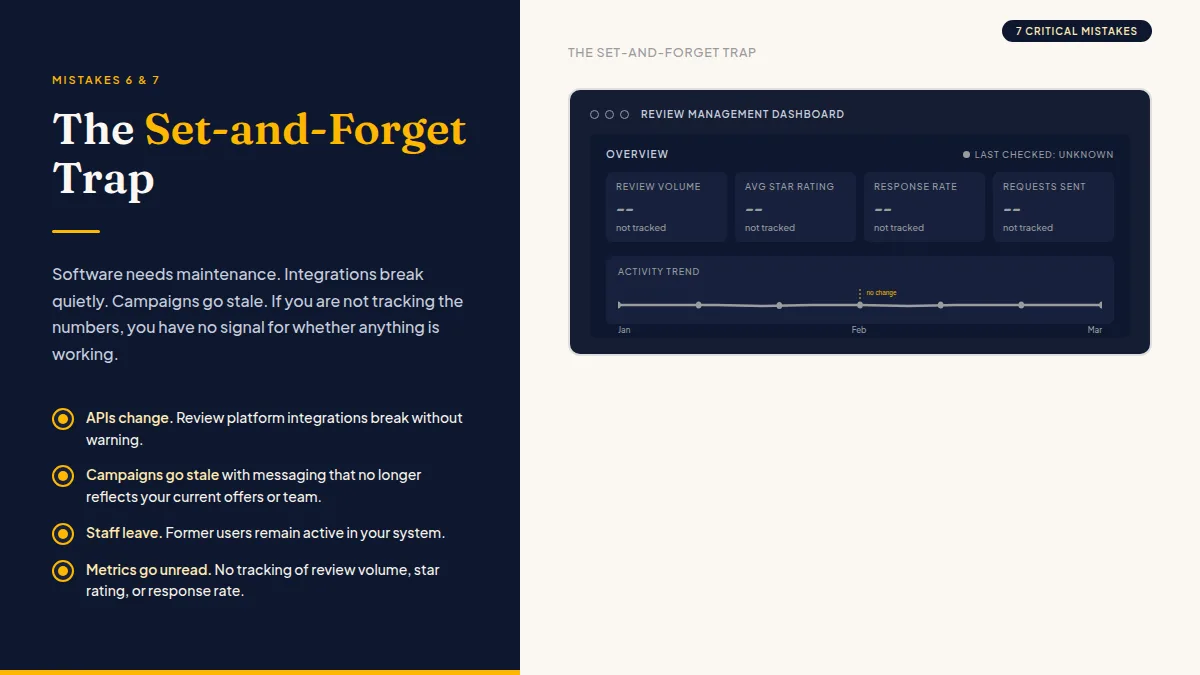
Build a five-minute monthly check into your routine. Confirm integrations are live, review the message templates, verify requests are going out, and read the replies your tool is drafting. A quick look at how the best-reviewed reputation management services handle ongoing setup gives you a useful benchmark for what "maintained" actually looks like in practice.
Mistake 7: Measuring Nothing
If you're not tracking review volume, average star rating, and response rate every month, you have no signal for whether anything is working. Most review management platforms surface this data in a dashboard — use it. Set a baseline in month one, check it in month two, adjust one variable (timing, message copy, target platform), and check again. That's how you learn what actually moves your numbers instead of hoping the software figures it out on your behalf.
If your current tool doesn't make these metrics visible, that's a product problem worth solving before you're locked into a long contract. Comparing your options now costs you an hour. Discovering the problem a year into a contract costs you much more.
Frequently Asked Questions
Why aren't my review requests getting any responses?
The most common causes are poor timing (too long after the service), generic copy that reads like spam, or requests going to the wrong contact list. Shorten the gap between service completion and the request, personalize the message with a specific service reference, and limit sends to recent confirmed customers.
How do I know if my review management software is set up correctly?
Check that all relevant platforms — Google, Facebook, Yelp, and any industry-specific sites — are actively connected, that automated requests are going out to recent customers, and that new reviews are appearing in a unified inbox. If any of those three are missing, the setup is incomplete.
Is it against the rules to route unhappy customers to private feedback?
Offering unhappy customers a private resolution channel is allowed — but every customer must still be free to leave a public review if they choose. Google and Yelp explicitly prohibit review gating, which means you cannot block or discourage negative public reviews. Offer a fast fix privately; never restrict public access.
How many review requests should I send per month?
Send a request for every completed transaction or appointment where you have a valid contact. There's no ideal number — volume depends on your business size. Consistency matters more than quantity: sending requests reliably each week outperforms a large batch once a quarter.
How long does it take to see results from review management?
Most businesses see meaningful movement in review volume within 60–90 days of consistent, correctly-timed requests. Star rating improvement is slower and depends on your starting point and how actively you resolve negative feedback.
What's the single most effective change a business can make right now?
Start replying to every review you already have — positive and negative. It costs nothing, improves local search visibility, and signals to every future customer that your business pays attention. Do that before optimizing anything else.
Ready to Take Control of Your Online Reputation?
Join thousands of local businesses using HiFiveStar to get more reviews and grow faster.