Best Field Service Management Software for Small Businesses in 2026
Compare the best field service management software for small businesses in 2026. Reviews of ServiceTitan, Jobber, Housecall Pro, Workiz, and more — pricing, features, and what fits your trade.
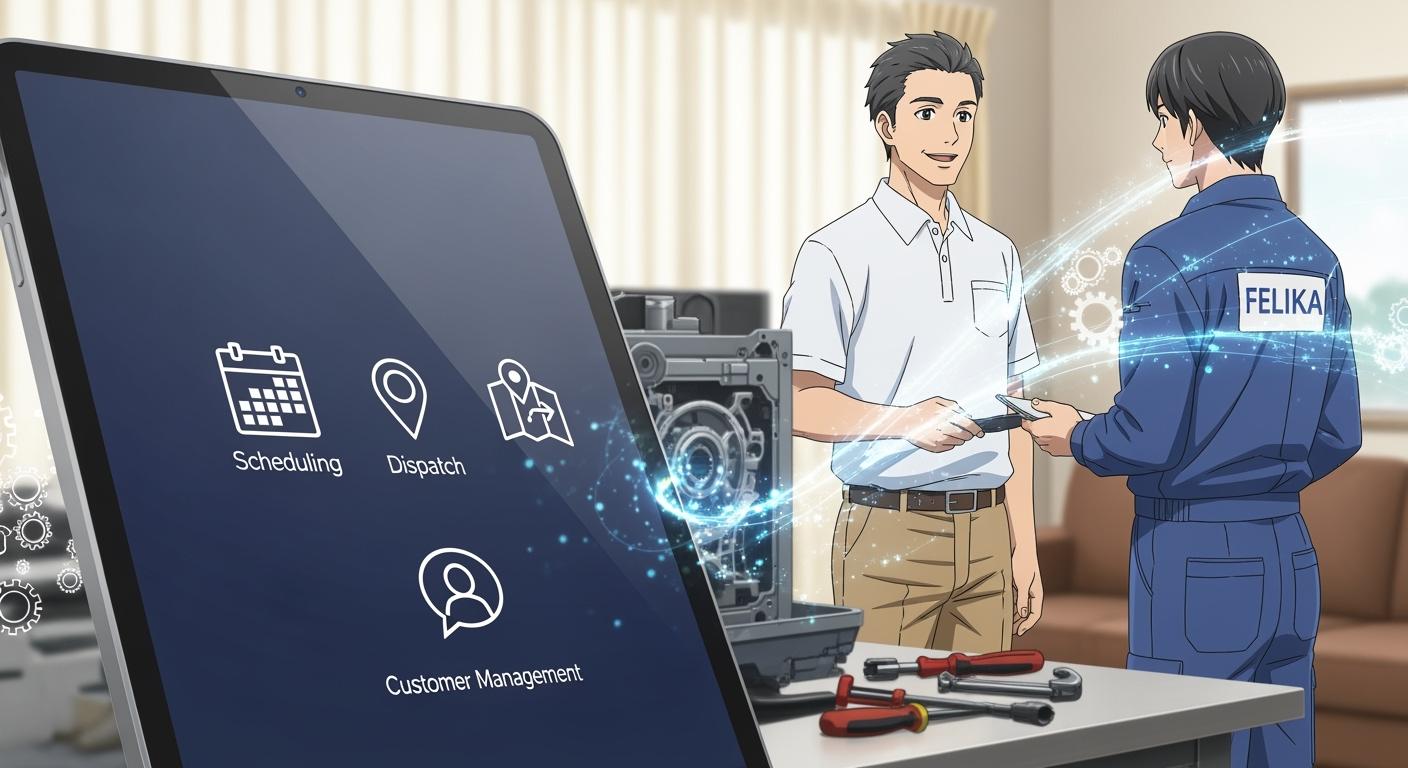
Running a field service business means juggling schedules, dispatching techs, tracking parts, sending invoices, and keeping customers in the loop — often from a phone. When those processes live in spreadsheets, whiteboards, and sticky notes, things slip through the cracks fast.
Field service management (FSM) software replaces that patchwork with a single platform. Scheduling, dispatching, invoicing, route optimization, and customer communication all run from one dashboard, accessible in the office and in the field.
This guide covers the best field service management software for small businesses in 2026 — what each platform does well, where it falls short, what it costs, and how to pick the one that fits your operation.
What Field Service Management Software Does
Field service management software coordinates every step between "customer calls" and "job gets paid." At minimum, you get:
- Scheduling and dispatching — Assign jobs to the right tech based on location, skill set, and availability. Drag-and-drop calendars and automated routing cut windshield time.
- Mobile access — Technicians view job details, capture photos, collect signatures, and process payments from their phone or tablet, online or offline.
- Invoicing and payments — Generate invoices on site, accept digital payments, and sync transactions with your accounting software.
- Customer communication — Automated appointment reminders, tech-on-the-way notifications, and follow-up messages keep customers informed without manual effort.
- Reporting — Dashboards show revenue per tech, job completion rates, average ticket value, and other metrics that drive better decisions.
Beyond these fundamentals, many platforms add inventory tracking, GPS fleet management, quote generation, and CRM capabilities. The right set of features depends on your trade, team size, and growth plans.
How to Evaluate FSM Software for Your Business
Before comparing platforms, clarify what your business actually needs. These five factors matter most:
1. Match features to your trade
An HVAC company needs equipment-tracking and maintenance-agreement management. A cleaning service needs recurring-job scheduling and route optimization. A plumber needs flat-rate pricing books. The "best" software is the one built for how you work, not the one with the longest feature list.
2. Plan for your team size — and growth
If you have three techs today and plan to have twelve in two years, pick a platform that scales without forcing a migration. Ask about user limits, multi-location support, and per-user pricing at higher tiers.
3. Know what you spend — and what you save
FSM software costs anywhere from $30 to $300+ per user per month, plus potential setup and training fees. Weigh that against the hours your team currently spends on manual scheduling, paper invoicing, and phone-tag with customers. Most small businesses recoup the investment within the first quarter through faster invoicing and fewer missed appointments.
4. Check integrations
Your FSM platform should connect to the tools you already use — QuickBooks or Xero for accounting, a CRM for customer tracking, and your payment processor. Native integrations save time; Zapier or Make connections work when a direct integration isn't available.
5. Test before you commit
Nearly every FSM platform offers a free trial or live demo. Have your dispatchers and field techs use it on real jobs for at least a week before signing an annual contract. If the mobile app frustrates your team, adoption will stall regardless of how powerful the desktop version looks.
Do this faster
More 5-star reviews, higher local ranking, more customers. HiFiveStar helps you run that loop.
Top Field Service Management Software for Small Businesses in 2026
ServiceTitan
ServiceTitan is a comprehensive platform built for residential and commercial service businesses — HVAC, plumbing, electrical, garage door, and similar trades.
What stands out: End-to-end workflow management from marketing attribution through job costing. ServiceTitan tracks which ads generate calls, automates dispatching, manages pricebooks, and provides detailed reporting down to revenue per technician. Its marketing tools — call tracking, booking rates, and campaign ROI — are stronger than what most FSM platforms offer.
Best for: Mid-size to larger service businesses (10+ techs) that want to connect field operations directly to their marketing spend.
Considerations: ServiceTitan's depth comes with a steeper learning curve and a higher price point than most SMB-focused tools. Setup typically takes several weeks, and the platform is built for specific trades rather than general field service.
Pricing: Custom quotes based on business size and modules selected. Expect onboarding fees.
Jobber
Jobber covers quoting, scheduling, invoicing, and customer communication in a clean interface that doesn't require a training manual.
What stands out: The client hub gives customers a self-service portal to approve quotes, schedule jobs, and pay invoices — reducing back-and-forth calls. Jobber's batch invoicing and automatic payment reminders help smaller teams get paid faster without chasing customers. It also integrates natively with QuickBooks Online and Xero.
Best for: Small service businesses (1–15 employees) in landscaping, cleaning, pest control, mobile repair, and general contracting.
Considerations: Reporting is functional but not deep — businesses that need advanced job-costing analytics may outgrow it. The mobile app covers core workflows well, though some features (like detailed report building) are desktop-only.
Pricing: Tiered monthly plans. A free trial is available.
Housecall Pro
Housecall Pro focuses on getting service businesses from pen-and-paper operations to digital workflows as quickly as possible.
What stands out: Automated postcard marketing, a built-in price book, and instapay (next-day deposits) differentiate it from similar platforms. The drag-and-drop scheduling board is intuitive, and the customer-notification system sends automated texts when a tech is dispatched and on the way.
Best for: Small to mid-size home service companies — HVAC, plumbing, electrical contracting, carpet cleaning — that want to digitize quickly.
Considerations: Some users report that customer support response times have slowed as the platform has scaled. Customization for niche trades is limited compared to more specialized tools.
Pricing: Monthly plans per user. Free trial available.
Workiz
Workiz started in the locksmith industry and expanded to cover a wide range of service trades, with particular strength in phone and communication management.
What stands out: A built-in VoIP phone system tracks every customer call, records conversations, and ties them to jobs. The platform also automates lead follow-up — if a potential customer calls and doesn't book, Workiz can trigger a text or email sequence. Online booking and a customer-facing portal streamline intake.
Best for: Service businesses (locksmiths, appliance repair, junk removal, garage door) where inbound calls drive most revenue and phone management is critical.
Considerations: The VoIP and call-tracking features are a major differentiator, but businesses that don't need phone management may find it adds complexity they won't use. Advanced features require higher-tier plans.
Pricing: Tiered monthly plans. A free plan is available for solo operators.
Kickserv
Kickserv is a straightforward FSM platform that covers the essentials — scheduling, invoicing, and customer management — without overwhelming new users.
What stands out: The learning curve is among the shortest in this category. Kickserv integrates with QuickBooks, Xero, Stripe, and Mailchimp out of the box. Its lead-management tools help track potential customers from first contact through conversion.
Best for: Very small service businesses (1–5 employees) that need a simple, affordable tool and don't require deep automation or advanced analytics.
Considerations: The platform's simplicity means it lacks some features larger businesses expect: no advanced dispatch optimization, limited inventory management, and basic mobile-app capabilities compared to Jobber or Housecall Pro.
Pricing: Plans start at an accessible price point with a free tier for solo users.
Field Promax
Field Promax is a cloud-based FSM tool built for small and mid-size service companies that want GPS-tracked dispatching and real-time field visibility.
What stands out: Live technician tracking, digital work orders with photo and signature capture, and automated customer notifications. The platform emphasizes field-to-office communication — dispatchers see exactly where every tech is and how each job is progressing.
Best for: Small businesses that manage a mobile workforce and need strong dispatch visibility — HVAC, pest control, property maintenance.
Considerations: Smaller ecosystem and fewer third-party integrations than more established platforms. The feature set is solid for core FSM needs but thinner on marketing and advanced analytics.
Pricing: Per-user monthly pricing. Free trial available.
Microsoft Dynamics 365 Field Service
Microsoft Dynamics 365 Field Service is an enterprise-grade platform that integrates deeply with the broader Microsoft ecosystem — Outlook, Teams, Power BI, and the rest of Dynamics 365.
What stands out: AI-driven scheduling optimization, IoT-enabled predictive maintenance (connected devices trigger service orders before equipment fails), and mixed-reality support through HoloLens for remote-assist scenarios. The Power BI integration delivers analytics that smaller platforms can't match.
Best for: Mid-size to large field service organizations with complex scheduling needs, multi-location operations, and an existing Microsoft technology stack.
Considerations: This is not a tool you set up in an afternoon. Implementation typically requires a partner, and per-user costs are significantly higher than SMB-focused platforms. Overkill for a five-person plumbing company.
Pricing: Per-user/per-month licensing. Add-on modules increase cost.
Salesforce Field Service
Salesforce Field Service extends the Salesforce CRM with field operations capabilities — scheduling, mobile workforce management, and AI-powered dispatching.
What stands out: If your business already runs on Salesforce, Field Service inherits your entire customer history, pipeline, and automation. Einstein AI optimizes scheduling and suggests next-best actions. The contractor-management features let you dispatch third-party crews alongside in-house techs.
Best for: Businesses already invested in the Salesforce ecosystem that need to connect sales, customer service, and field operations in one platform.
Considerations: Salesforce's flexibility is also its complexity. Configuration and ongoing administration often require a dedicated Salesforce admin or outside consultant. Licensing costs add up quickly when you combine CRM and Field Service seats.
Pricing: Per-user/per-month. Requires a Salesforce CRM license as a prerequisite.
Acumatica Field Service Management
Acumatica is a cloud ERP that includes a field service module — scheduling, dispatching, service contracts, and inventory management, all connected to financials, project accounting, and purchasing.
What stands out: True ERP integration means field service data flows directly into financials without sync issues. Service contracts, warranties, and recurring maintenance schedules are first-class features. Acumatica doesn't charge per user — licensing is based on resources consumed, which can be more cost-effective for larger teams.
Best for: Service businesses with 20+ employees that need field operations tightly integrated with accounting, inventory, and project management — particularly companies that manage long-term service contracts.
Considerations: This is a full ERP implementation, not a standalone FSM app. The onboarding process is measured in months, not days. Small businesses without complex financial or inventory needs will find it far more than they need.
Pricing: Custom quotes. No per-user fees, but implementation costs are substantial.
Field Service Management Software Comparison
| Platform | Best For | Scheduling | Mobile App | Invoicing | CRM | Starting Price |
|---|---|---|---|---|---|---|
| ServiceTitan | Mid-size home services | Advanced | Full-featured | Yes | Built-in | Custom quote |
| Jobber | Small teams (1–15) | Drag-and-drop | Strong | Yes, batch | Client hub | Low monthly |
| Housecall Pro | Quick digitization | Drag-and-drop | Strong | Yes, instapay | Basic | Low monthly |
| Workiz | Call-heavy businesses | Standard | Good | Yes | Built-in + VoIP | Free tier |
| Kickserv | Solo to micro teams | Basic | Adequate | Yes | Basic | Free tier |
| Field Promax | Dispatch visibility | GPS-tracked | Good | Yes | Basic | Low monthly |
| Dynamics 365 | Enterprise / Microsoft stack | AI-optimized | Full-featured | ERP-linked | Dynamics CRM | Higher monthly |
| Salesforce FS | Salesforce users | AI-optimized | Full-featured | ERP-linked | Salesforce CRM | Higher monthly |
| Acumatica | ERP-integrated operations | Service-contract | Adequate | ERP-linked | ERP module | Custom quote |
Features That Matter Most for Small Businesses
Not every feature on a vendor's checklist is equally important. For small field service businesses, these capabilities drive the most day-to-day value:
Scheduling and dispatch
This is the core of any FSM platform. Look for drag-and-drop calendars, automated technician assignment based on location and skills, and a dispatch board that gives your office team a real-time view of every tech's status. Route optimization — minimizing drive time between jobs — pays for itself quickly in fuel savings and additional job capacity.
Mobile app quality
Your techs live in the mobile app. It needs to work reliably on both iOS and Android, load quickly, and function offline (job sites don't always have cell service). At minimum, techs should be able to view job details, capture before-and-after photos, collect customer signatures, add notes, and process payments — all from their phone.
Invoicing and payment collection
The faster you invoice, the faster you get paid. The best FSM tools let techs generate and send invoices on site, accept credit cards and ACH payments, and sync everything to your accounting software automatically. Batch invoicing for recurring customers and automated payment reminders reduce accounts-receivable aging.
Customer communication
Automated text and email notifications — appointment confirmations, tech-on-the-way alerts, and follow-up messages — reduce no-shows and improve the customer experience. A customer portal where clients can approve quotes, view appointment details, and pay invoices cuts down on phone calls.
Reporting and analytics
You can't optimize what you don't measure. Revenue per technician, average job duration, quote-to-close ratio, and customer-satisfaction scores help you identify where your operation is strong and where it leaks time or money.
Common Challenges FSM Software Solves
Missed appointments and double-bookings
Manual scheduling — especially across multiple techs and locations — inevitably produces conflicts. Automated scheduling and real-time calendar visibility eliminate double-bookings and make it easy to slot in emergency calls without disrupting the rest of the day.
Slow invoicing and payment delays
When invoices go out days or weeks after a job, payment follows the same timeline. On-site invoicing with digital payment acceptance shortens the cash-collection cycle from weeks to hours.
Poor field-to-office communication
Dispatchers shouldn't need to call or text every tech for status updates. GPS tracking, automated job-status updates, and in-app messaging keep the office informed without interrupting fieldwork.
Inconsistent customer experience
Checklists, standardized workflows, and automated customer notifications ensure every job follows the same process — whether it's your best tech or your newest hire running the call.
Paper-based record keeping
Digital work orders, photo documentation, electronic signatures, and cloud storage replace filing cabinets of paper forms. Records are searchable, shareable, and backed up automatically.
Building Your Reputation After the Job Is Done
Field service businesses live and die by their reputation. A homeowner choosing between two plumbers or HVAC companies will almost always pick the one with more — and more recent — Google reviews.
The problem is that collecting reviews consistently requires a system. Asking customers face-to-face is awkward, and remembering to send a follow-up text after every job doesn't scale once you're running 20+ calls a day.
How review management fits the field service workflow
A review management tool like HiFiveStar plugs into the gap between "job complete" and "customer writes a review." After a tech closes a job, HiFiveStar sends a review request by text, email, or WhatsApp (on paid plans) — no manual follow-up needed.
Each location gets a review link and QR code that direct customers to a review page. The review page opens on Google and 30+ other review sites, with an optional Private Feedback button after them. This gives you a chance to resolve issues directly.
On paid plans, AI reply drafts help you respond to every review quickly — the draft is written in the review's language, and for Google reviews at connected locations, the reply posts directly from HiFiveStar. Reviews from Google, Tripadvisor, Yelp, and other sites all arrive in one inbox.
For field service businesses on higher paid plans, HiFiveStar can send review requests automatically when a customer pays through Stripe, Shopify, or any tool that connects through Zapier or Make — so every completed job triggers a request without anyone remembering to send it.
More reviews — especially recent, positive ones — can improve your local search visibility. That matters in field service, where Google reviews directly influence which businesses show up in the local map pack when a homeowner searches for "plumber near me" or "HVAC repair."
New businesses start with a 14-day free trial of every feature except texting. After the trial, the free-forever plan still gives you a review page, QR code, and a reviews inbox with Google reviews — enough to start building your review presence from day one.
Frequently Asked Questions
What is field service management software?
Field service management software is a platform that coordinates the people, schedules, and tasks involved in delivering services at a customer's location. It typically handles job scheduling, technician dispatching, mobile access to job details, invoicing, payment collection, and customer communication — replacing manual processes like paper work orders, spreadsheet schedules, and phone-based dispatching.
How much does field service management software cost?
Pricing varies widely. SMB-focused platforms like Jobber, Housecall Pro, and Workiz offer monthly plans that start in the $30–$70 per-user range, with more features at higher tiers. Enterprise platforms like ServiceTitan, Dynamics 365, and Salesforce Field Service charge significantly more and often require custom quotes. Most platforms also charge onboarding or setup fees. Free tiers or trials are common for smaller platforms.
Can FSM software integrate with my accounting system?
Yes — most modern FSM platforms offer native integrations with QuickBooks Online and Xero, and some connect with Sage, FreshBooks, or other accounting tools. These integrations automatically sync invoices, payments, and expenses, eliminating double data entry and keeping your books accurate without manual reconciliation.
Is field service management software hard for technicians to learn?
The mobile apps for most current-generation FSM platforms are designed to be straightforward. Techs typically need a few days of use — not weeks — to become comfortable with viewing job details, updating statuses, capturing photos, collecting signatures, and processing payments. The bigger adoption challenge is usually in the office: dispatchers and administrators need time to learn scheduling optimization, reporting, and configuration.
Do I need field service management software if I have fewer than five employees?
You don't need it, but even a two-person operation benefits from organized scheduling, professional invoicing, and automated customer communication. At that size, a simpler platform like Kickserv or Jobber's entry-level plan covers what you need without the overhead of an enterprise system. The time you save on administrative tasks goes directly back into billable work.
How does field service management software improve customer satisfaction?
Automated appointment reminders reduce no-shows. Real-time tech-tracking lets you send "your technician is on the way" notifications with accurate arrival windows. On-site invoicing and digital payments make the checkout process faster. And consistent follow-up — including asking for reviews after each job — shows customers you value their experience beyond the transaction.


Ready to Take Control of Your Online Reputation?
Join thousands of local businesses using HiFiveStar to get more reviews and grow faster.